SaaS · Sailing school
Pistrice
Two experiences for a sailing school: from spreadsheets to a product in use, in a few days
I designed a back-office for the people who run the school and a mobile app for its students: I led discovery, experience and requirements, and a team of AI agents that wrote the code.
- Product discovery
- UX design
- Product requirements
- Mobile first
- AI agents
Context
It started on the boat, not in a brief
Pistrice is a sailing school founded by Carlo Levantino. I love sailing and I'm one of its students.
Talking with Carlo, one thing kept coming up: running the school took too much effort. Lesson bookings, regattas and subscription accounting were hard to keep under control.
The school in numbers
- 100+
- students
- 2
- administrators
- 2
- instructors
- 3
- sailboats
- ~20
- sails to manage
- ~20
- regattas a year
- 5+
- training sessions a week
The problem we solve
The problem
Excel, WhatsApp and messages that get lost
The school ran everything on Excel and WhatsApp: accounting and subscriptions in spreadsheets, bookings and communication in chats where information got lost. There was no single place to see what was going on.
The result: unclear accounting, no easy way to know who was enrolled, and nothing designed for the students.
What I did
Two experiences, designed with Claude instead of Figma
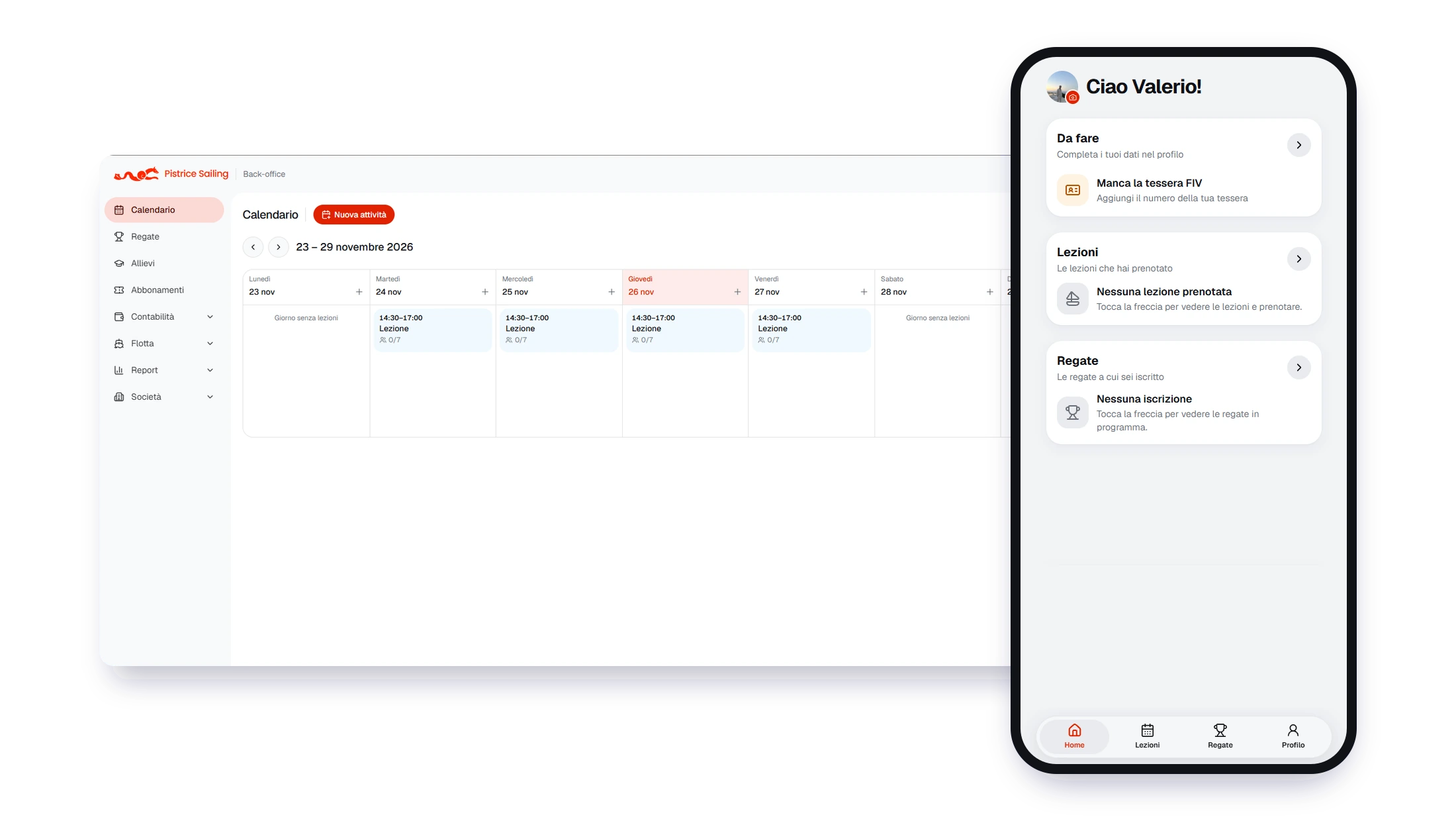
I split the product in two: a back-office for administrators, who work mostly on tablet, and a mobile-first app for students, who only use their phone. Before any screen came discovery: the needs of Carlo and the other administrators, other schools and software, and the latent needs that surfaced along the way.
Instead of Figma mockups, I designed experience and requirements directly with Claude, leading a team of agents that wrote the code: in a few days, a real product ready to test and validate.
The problem · Students
- I can't see the lessons I booked
- How can I cancel a lesson?
- Is my subscription about to expire?
- How many outings do I have left?
The problem · Administrators
- Who's enrolled in tomorrow's lesson?
- Has this student paid their subscription?
- Which subscriptions expire this month?
- Regatta sign-ups arrive on WhatsApp
- Accounting lives in a spreadsheet
- Messages get lost in the chats
- Hours lost on Excel and WhatsApp instead of at sea
Goals
- Bookings and regattas under control
- Clear subscription accounting
- Know who is enrolled
- An experience for students
- Less Excel and WhatsApp
Users
- Carlo, the founder
- Administrators
- Students
User needs
- See the week's lessons and regattas at a glance
- Know exactly who is enrolled and with which subscription
- Keep fees and payments in order
- Book a lesson in a few taps
- Sign up for regattas
- See what's left on the subscription
Project goal
Two users, two contexts, two experiences: a tablet back-office for the people who run the school and a mobile-first app for the people who sail. Less paperwork, more time at sea.
Discovery
Problem solving and user needs first
Before any screen, I worked on the problems and on what people actually needed.
The people who run the school
Needs shared by Carlo and the other administrators, in their own words, became the starting requirements.
Other schools and software
I looked at how other sailing schools work and at the tools on the market, to raise the bar on the experience.
Latent needs
Some features nobody had asked for revealed, as soon as people saw them, needs they had never expressed. That's part of discovery too.
The method
Claude instead of Figma
No static mockups and no requirements scattered across other tools. I design the experience and the requirements; a team of agents writes the code and keeps everything aligned.
- 1
Problems and user needs
Start from what hurts and who it hurts.
- 2
Requirements
Clear rules for both experiences, written once.
- 3
Experience designed with Claude
Screens and flows shaped directly in the working product.
- 4
Validation, right away
Something real to test with the people who'll use it.
- 5
Iteration
Feedback goes back into the next round.
and around again
The team of agents
What the agents keep up to date
The design of both experiences
Back-office and student app follow the same rules as they evolve.
Always-current documentation
Every decision and rule is written down where the agents read it.
How the work is organised
What's done, what's next, what's waiting for a decision.
What's been built
The app, for the students
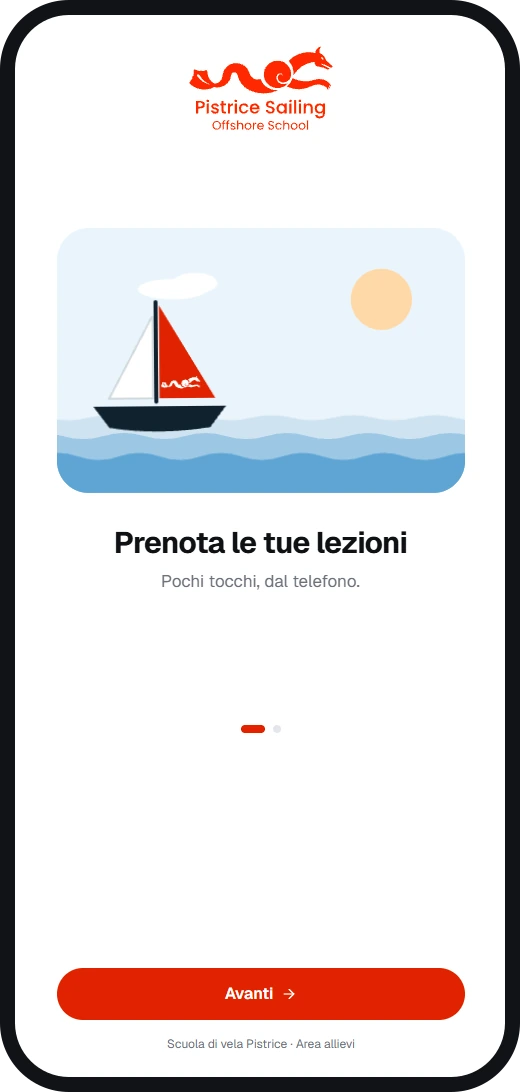
Welcome 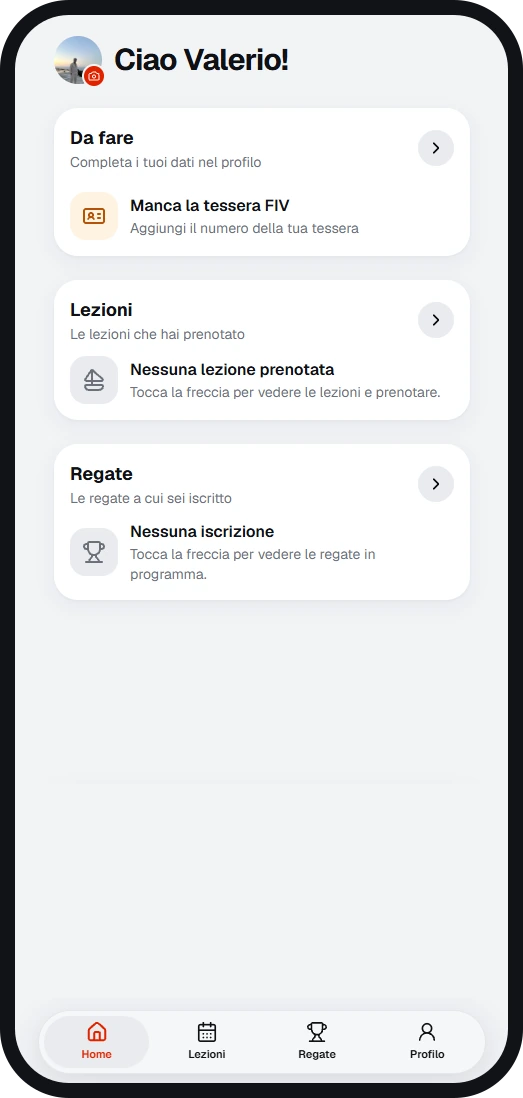
Home 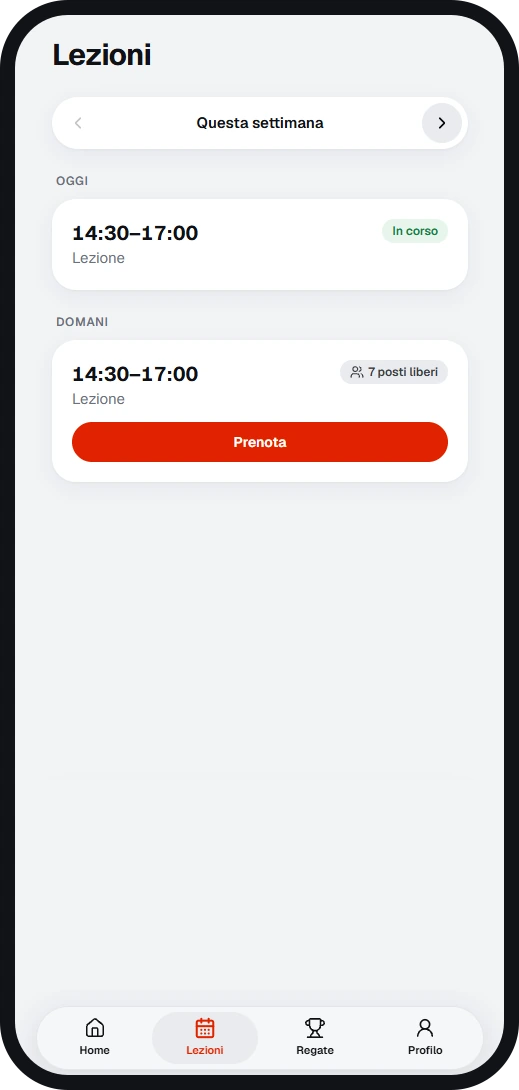
Lessons 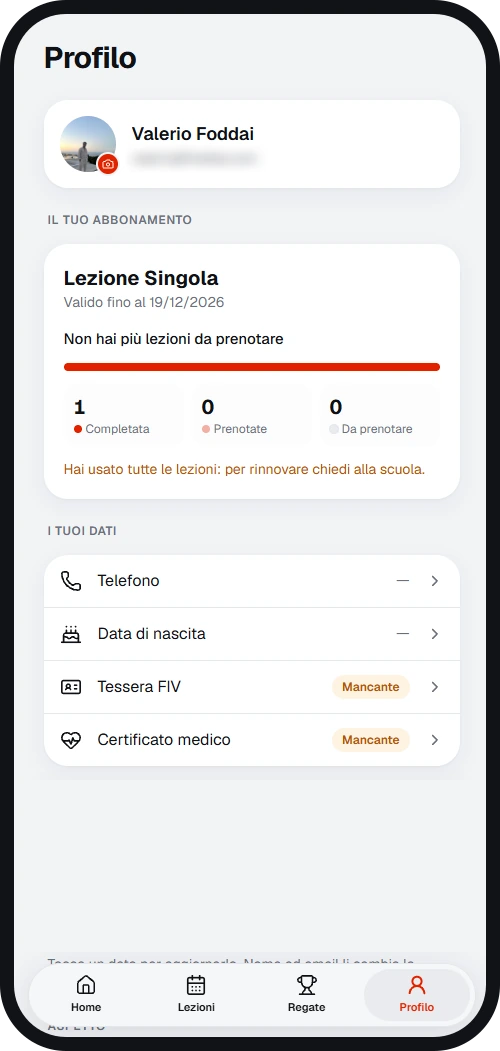
Profile and subscription
What's been built
The back-office, for the people who run the school
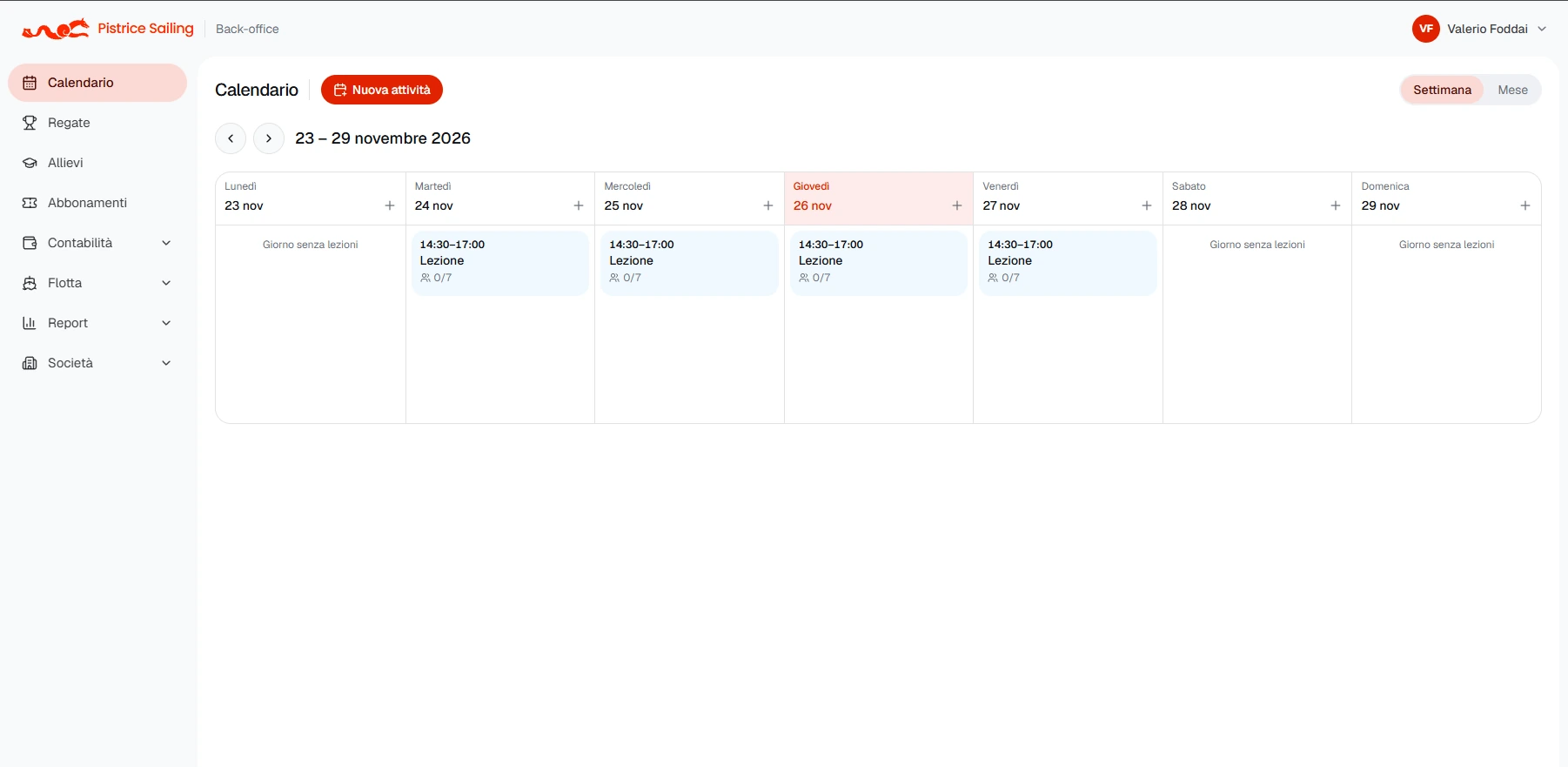
Lesson calendar 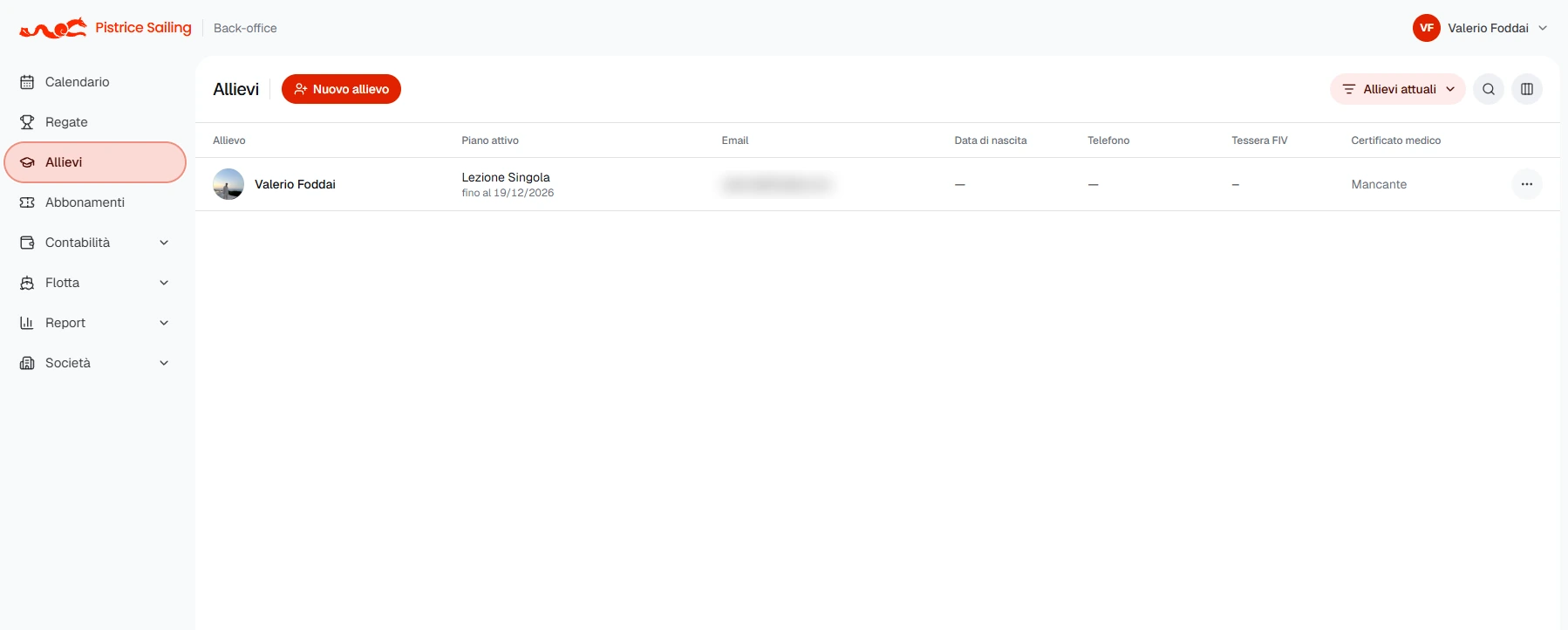
Students 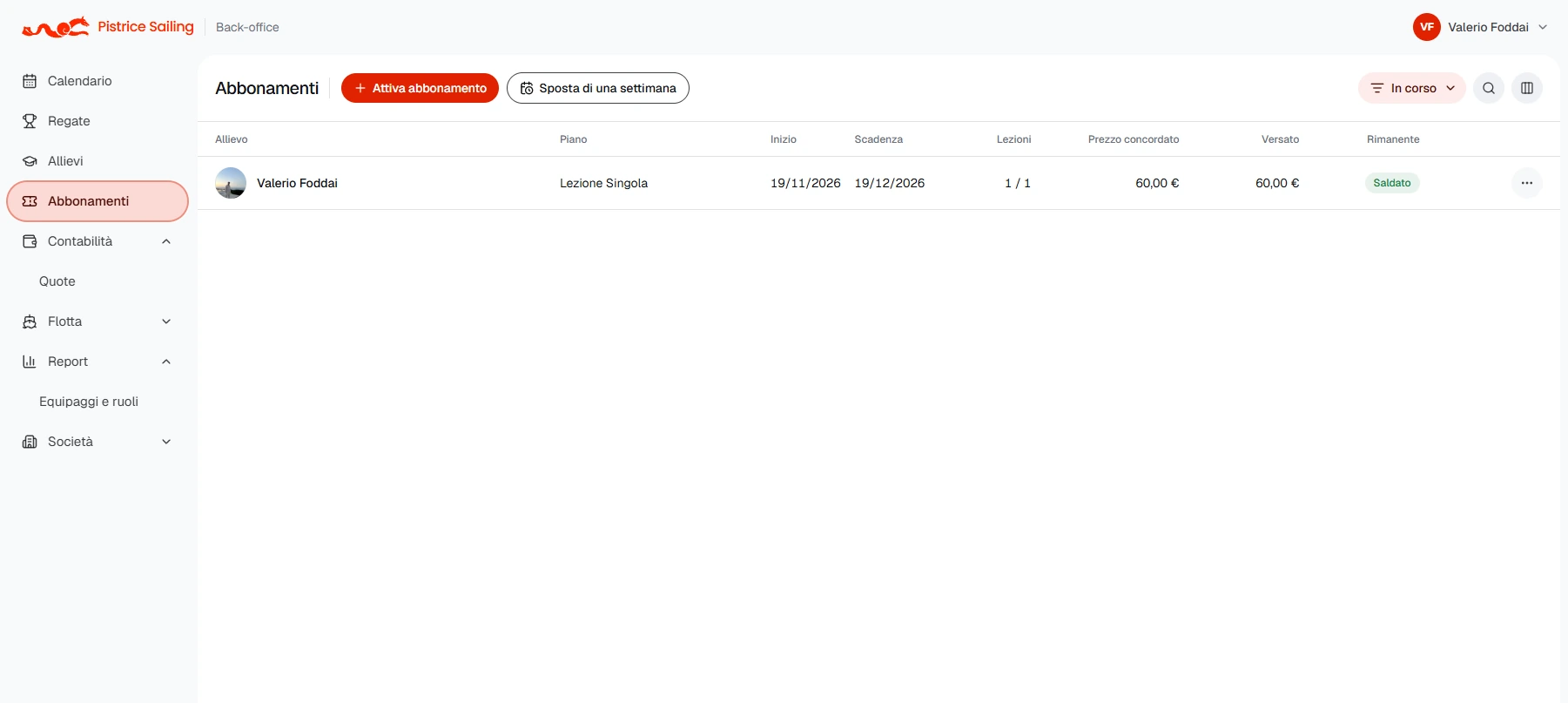
Subscriptions 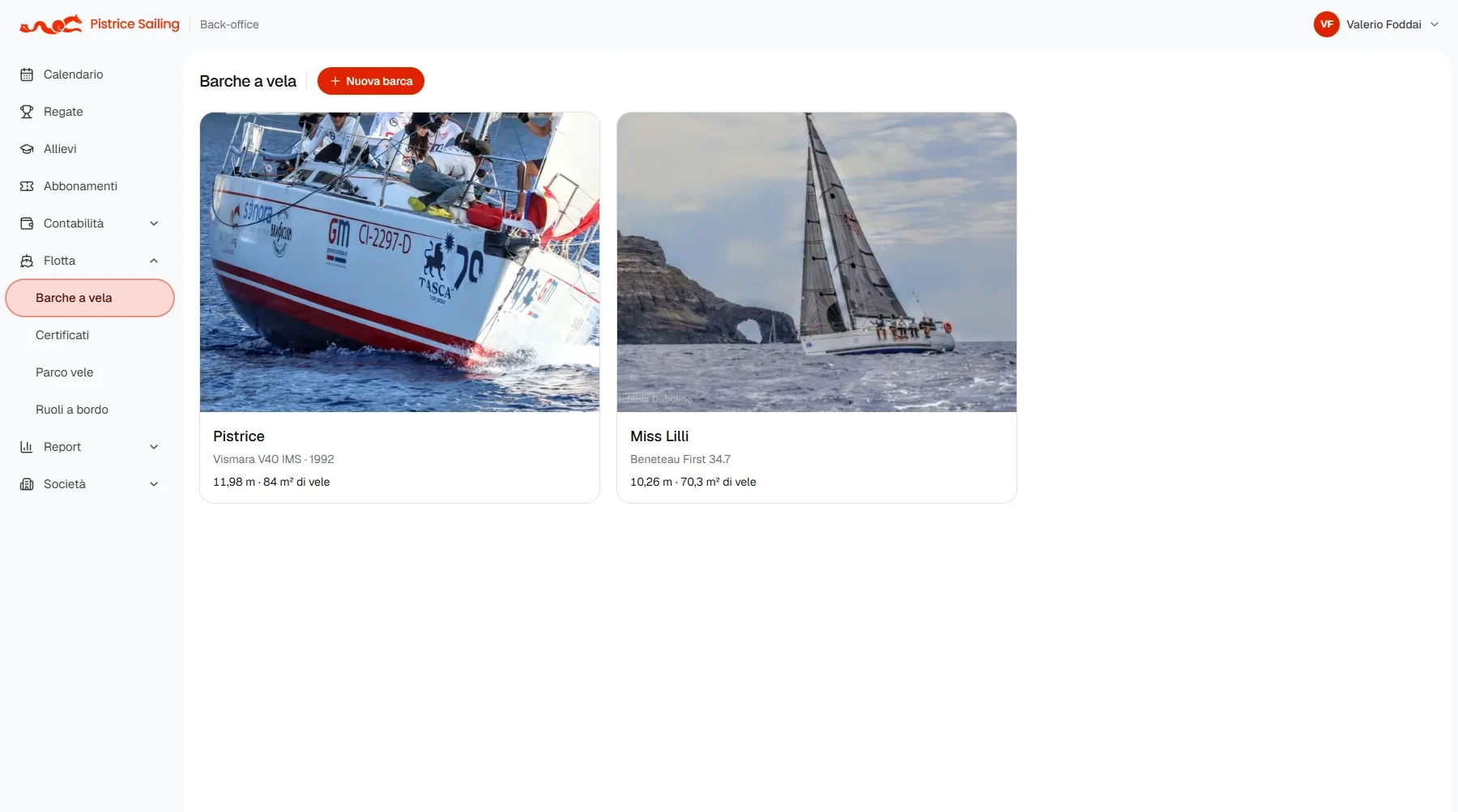
Fleet
Results
An approach that held up
Weeks of work saved
No static designs to draw, hand over and redo.
Ready to test in a few days
A real product to test and validate, not a prototype.
In use today
The school uses it and feedback is coming in.
Feedback
Validation, right away
Something real to test with the people who'll use it.
“Now I can see the lessons in the calendar right away and know who's coming.”
— School administration “I can see the status of every subscription and how much we'll take in this month.”
— School administration “Booking from my phone is now really simple.”
— Student “I can see this week's lessons and my subscription status right away.”
— Student